Staff Availability System
Designed for a campus retail environment, the staff availability system helps teams manage the semesterly changes of employee schedules. It simplifies how availability is collected, organized, and used for seasonal planning.
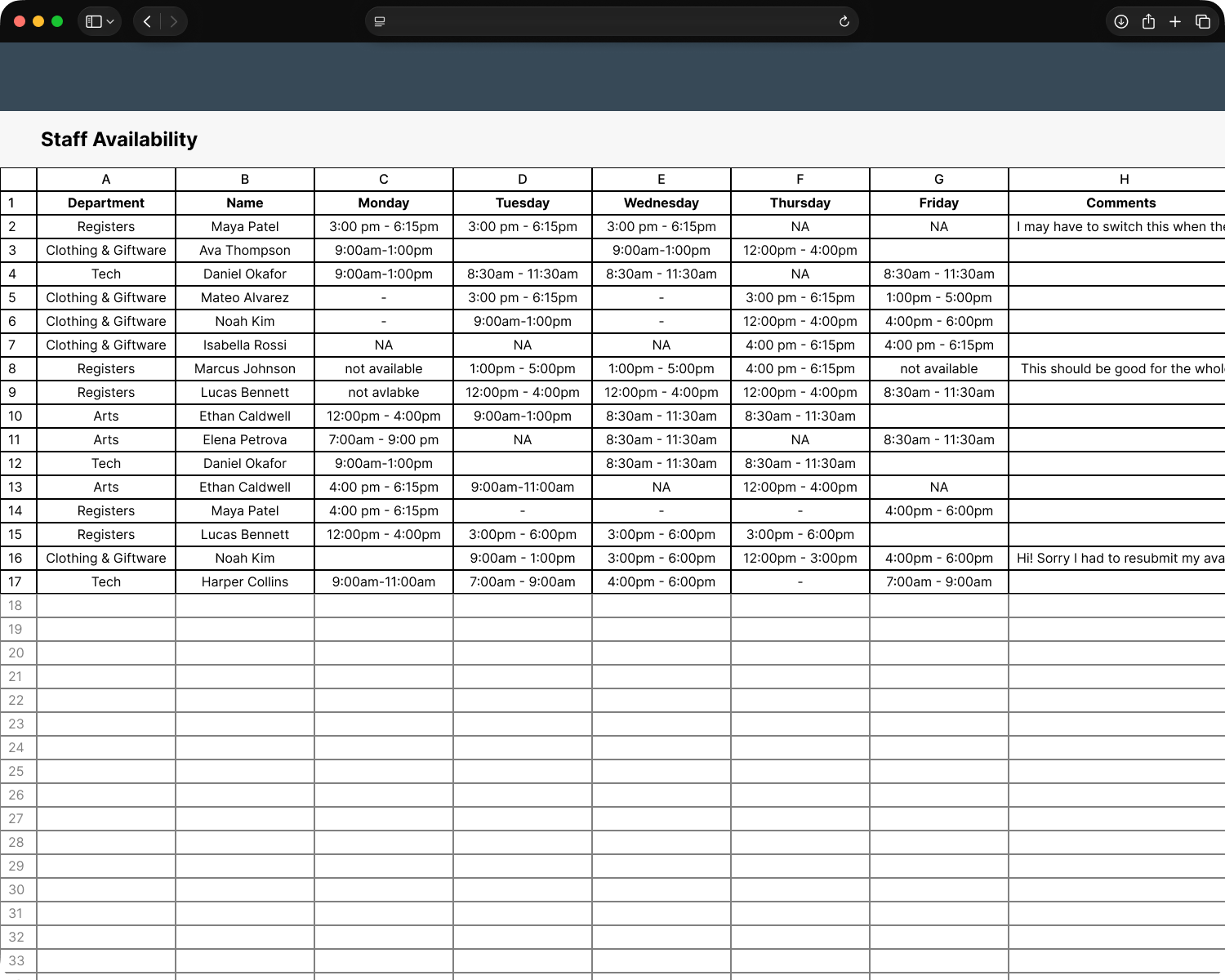
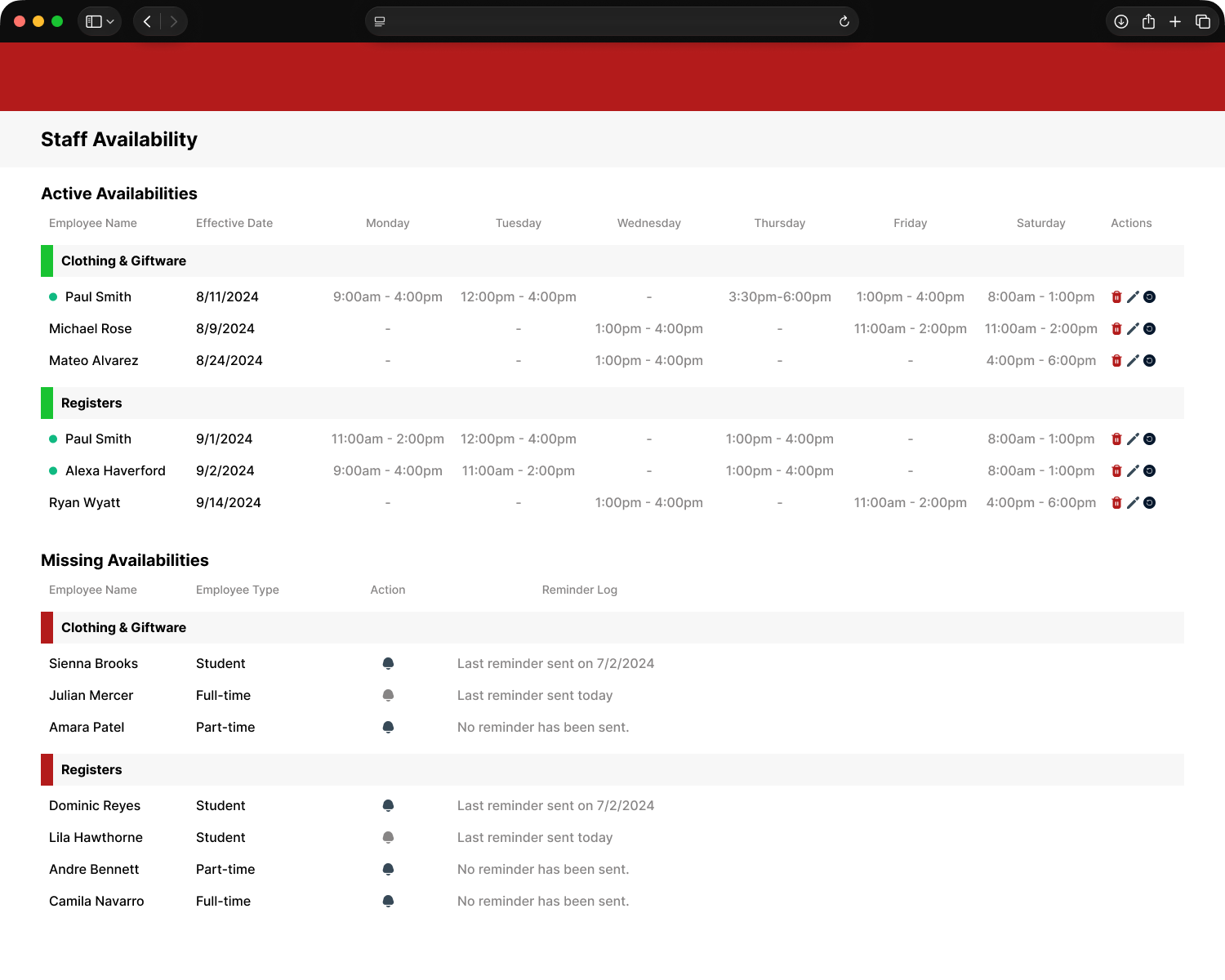
Note: This system is actively used at a former workplace. Even though you can easily identify where, to protect privacy, all identifiable information in these prototypes, including but not limited to: brand, logos, and employee names, has been falsified.
Problem
Research & Interviews
The goal of this product was to improve how staff availability was collected and reviewed without making the process harder for anyone involved.
Supervisors
I simply want to see who’s availability I have, and who’s I’m missing.
Many employees submit multiple availabilities, making it confusing when its time to create a schedule.
I have to constantly go back and make changes, practically filling out multiple people’s availability myself.
People re-submit an availability for the tiniest adjustment, that I could have made.
Employees
There’s been times where I submit more than once because I can’t recall if I’d already submitted an availability.
I have to resubmit my availability sometimes because my schedule changes, even after I’ve already started classes.
The form feels redundant when it asks me to restate my name, email, graduation may/year, and department i work for. I thought all they needed was my availability.
Goal
Main goals included:
Create an clean interface that requires minimal learning to understand.
Easily distinguish between read and unread submissions.
Display missing availabilities with the ability to send reminders.
Disable multiple submissions; however, make resubmissions possible and as frictionless as possible.
Remove redundant questions from the form while sacrificing as little data as possible.
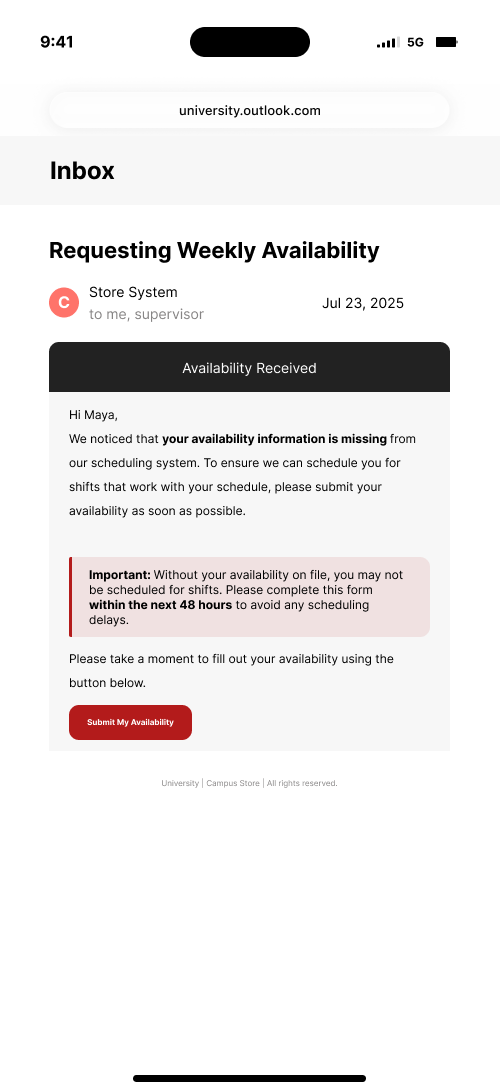
Provide feedback to employees regarding their submission.
Constraints
As with any other project, there were several constraints to work with. However, there were three that stood out the most.
Using in house tools
Only
Ready within
60 days
Budget
$0
Solution
Features
Designed for a campus retail environment, this staff availability system helps teams manage the yearly shift in employee schedules. It simplifies how availability is collected, organized, and used for seasonal planning.
Built to reduce manual tracking and give supervisors real-time visibility into availability data.
Availability Overview
Instantly see staff availability and coverage across the workweek.
Missing Availability
Identify employees who have not submitted availability.
Submission Reminders
Notify missing employees to complete their submissions.
New Submission Indicators
Distinguish new submissions from previously reviewed ones.
Duplicate Prevention
Ensures only one active submission per employee.
Return or Modify
Send submissions back for edits or make minor updates directly.
Submission Deadlines
Control submission windows by locking forms after due dates.
Designed to keep the submission simple (without sacrificing needed information) while giving employees more visibility and control over their availability.
Simplified Form
Captures detailed availability in fewer steps, reducing the form from 15 steps to 10.
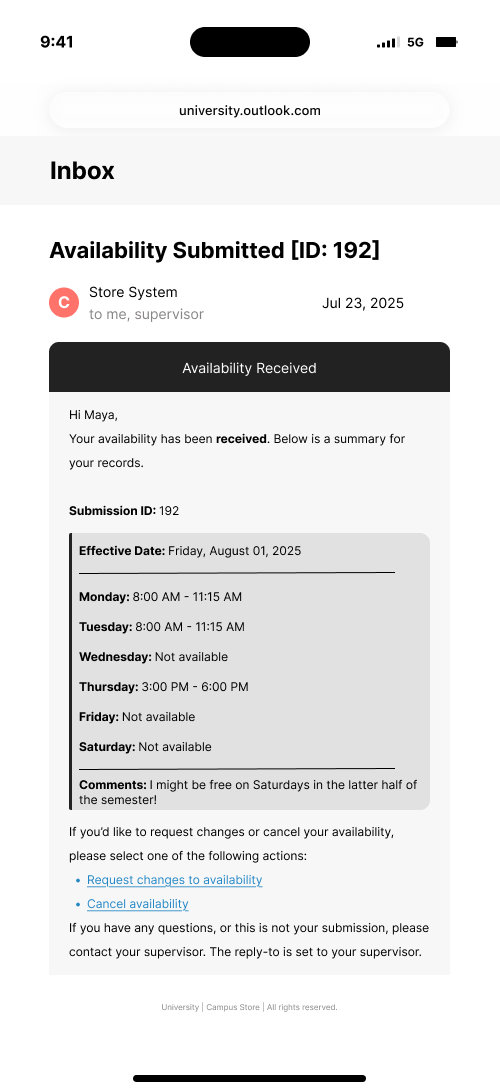
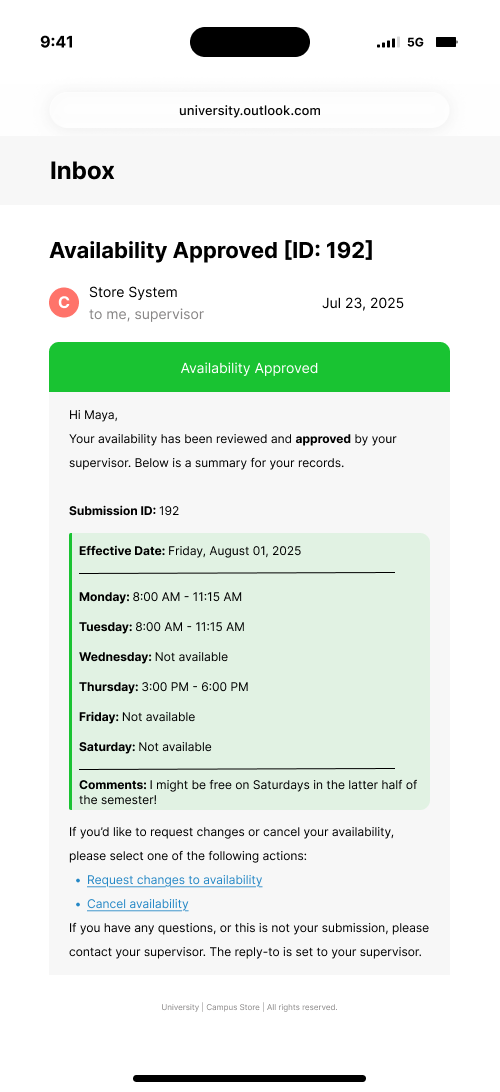
Submission Tracking
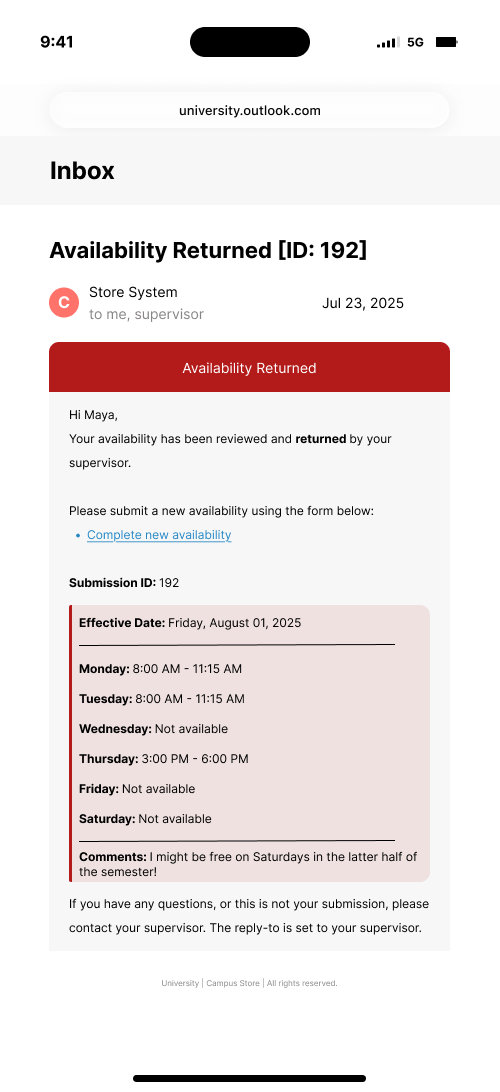
Employees receive status updates, including receipt, review, and return notifications.
Submission Reset
Allows employees to clear and resubmit availability without creating duplicates.
UX Decisions
No. Previous year submissions have shown that the resubmissions created after the deadline has passed. Therefore, preventing locking submissions as they are received provides an early start for schedulers to preview availability and plan, without having to worry about abrupt changes.
Impact
The goal of this product was to improve how staff availability was collected and reviewed without making the process harder for anyone involved.
Adoption Friction Observed
None
Steps Added
to employee availability form
-3
System Visitors
(year-to-date, average)
16 per day
Features Used
(during peak season)
1,102
Version 2.0
The future state of the staff availability system included new features added for the schedulers, or managers. The image below shows the added, feasible features.
Built to reduce manual tracking and give supervisors real-time visibility into availability data.
Export to Shifts
Instantly see staff availability and coverage across the workweek.
Search Submissions
Instantly see staff availability and coverage across the workweek.
View Total Hours
Instantly see staff availability and coverage across the workweek.
Designed to keep the submission simple (without sacrificing needed information) while giving employees more visibility and control over their availability.
View Current Submission
Captures detailed availability in fewer steps, reducing the form from 15 steps to 10.